Layers
History
Layers
History
Resize many images at once
Free, nothing uploaded: pick one or several longest sides and get every photo at each size in one ZIP, never enlarged or cropped.
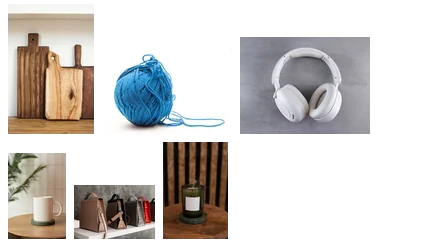 6 photos
 1600 px longest side
How to use it
Select the whole set. The first photo opens with the size card: type the longest side, and every image is scaled so its longer side fits, portrait and landscape alike, without cropping, stretching or enlarging. On our six sample photos at 1600 px, 2400 × 1600 became 1600 × 1067, 1600 × 2400 became 1067 × 1600, and a 1500 × 1000 photo stayed as it was (tested 29 Oct 2026). Click Download ZIP and the set comes back in one file.
- Click Choose the images to resize and select every file you want.
- Type the Longest side in pixels, or pick 2048 px, 1600 px, 1080 px or 800 px. Click more than one to get several sizes at once: each size goes in its own folder in the ZIP (1600px/, 800px/). The line under the chips shows the first photo's new size.
- Click Download ZIP. For another size, change the number and download again.
| Item | Details |
|---|---|
| Opens | JPG, PNG, WebP, HEIC, GIF, BMP, AVIF; as many as you select |
| Saves | JPG, PNG and WebP keep their format; the rest as JPG, or PNG with transparency; names plus -resized; one ZIP, one folder per size |
| Tested | 6 sample photos at 1600 px: 1600 × 2400 → 1067 × 1600, 2400 × 1600 → 1600 × 1067, 2400 × 1800 → 1600 × 1200, 1500 × 1000 unchanged (29 Oct 2026) |
| Where | In your browser; the images are not uploaded |
Scaled to fit, never cropped: a 4:3 and a 3:4 photo given 1600 come out 1600 × 1200 and 1200 × 1600. Photos already smaller are left at their size. There is no target file size or percentage here; use the compress page for a size limit. A JPG is re-encoded once at quality 92, a GIF keeps only its first frame, and EXIF data is not carried over.
- How do I resize many photos at once for free?
- Select them all with Choose the images to resize, type the longest side and click Download ZIP. It is free and the photos stay in your browser.
- Why isn't every image the same shape?
- They are scaled to fit, not cropped. For squares on white, use the product photo page.
- Will small photos be enlarged?
- No. A photo smaller than the size you type keeps its own size.
- Can I make a large and a thumbnail size in one go?
- Yes. Click two or more of the longest-side chips, for example 1600 px and 800 px. The ZIP has a folder per size with every photo in it.
- How many at once?
- There is no fixed number; they all go into one ZIP.
Updated 2026-10-29
More tools300 dpi for printCompress image
Resize many images at once
Free, nothing uploaded: pick one or several longest sides and get every photo at each size in one ZIP, never enlarged or cropped.
6 photos1600 px longest sideHow to use it
Select the whole set. The first photo opens with the size card: type the longest side, and every image is scaled so its longer side fits, portrait and landscape alike, without cropping, stretching or enlarging. On our six sample photos at 1600 px, 2400 × 1600 became 1600 × 1067, 1600 × 2400 became 1067 × 1600, and a 1500 × 1000 photo stayed as it was (tested 29 Oct 2026). Click Download ZIP and the set comes back in one file.
- Click Choose the images to resize and select every file you want.
- Type the Longest side in pixels, or pick 2048 px, 1600 px, 1080 px or 800 px. Click more than one to get several sizes at once: each size goes in its own folder in the ZIP (1600px/, 800px/). The line under the chips shows the first photo's new size.
- Click Download ZIP. For another size, change the number and download again.
| Item | Details |
|---|---|
| Opens | JPG, PNG, WebP, HEIC, GIF, BMP, AVIF; as many as you select |
| Saves | JPG, PNG and WebP keep their format; the rest as JPG, or PNG with transparency; names plus -resized; one ZIP, one folder per size |
| Tested | 6 sample photos at 1600 px: 1600 × 2400 → 1067 × 1600, 2400 × 1600 → 1600 × 1067, 2400 × 1800 → 1600 × 1200, 1500 × 1000 unchanged (29 Oct 2026) |
| Where | In your browser; the images are not uploaded |
Scaled to fit, never cropped: a 4:3 and a 3:4 photo given 1600 come out 1600 × 1200 and 1200 × 1600. Photos already smaller are left at their size. There is no target file size or percentage here; use the compress page for a size limit. A JPG is re-encoded once at quality 92, a GIF keeps only its first frame, and EXIF data is not carried over.
- How do I resize many photos at once for free?
- Select them all with Choose the images to resize, type the longest side and click Download ZIP. It is free and the photos stay in your browser.
- Why isn't every image the same shape?
- They are scaled to fit, not cropped. For squares on white, use the product photo page.
- Will small photos be enlarged?
- No. A photo smaller than the size you type keeps its own size.
- Can I make a large and a thumbnail size in one go?
- Yes. Click two or more of the longest-side chips, for example 1600 px and 800 px. The ZIP has a folder per size with every photo in it.
- How many at once?
- There is no fixed number; they all go into one ZIP.
Updated 2026-10-29
More tools300 dpi for printCompress image